
The exam term, without the paper chase.
Smart School is where teachers build balanced exams from a shared question bank, students sit them on a phone or on paper, and parents follow the results from their own account.
Runs in the browser on any phone, tablet or computer. No app to install.
Mid-term examination
Form Two Biology, Paper 1
Time: 1 hour 30 minutes

Answer all questions in Section A.
- 1.
Which organelle is the site of aerobic respiration?
[1 mark]- ANucleus
- BMitochondrion(selected answer)
- CRibosome
- DVacuole
Cell biology · Easy
- 2.
Name the process by which green plants make their own food.
[1 mark]Photosynthesis
Nutrition · Easy
- 3.
Explain two ways the leaf is adapted for gas exchange.
[4 marks]Gas exchange · Medium
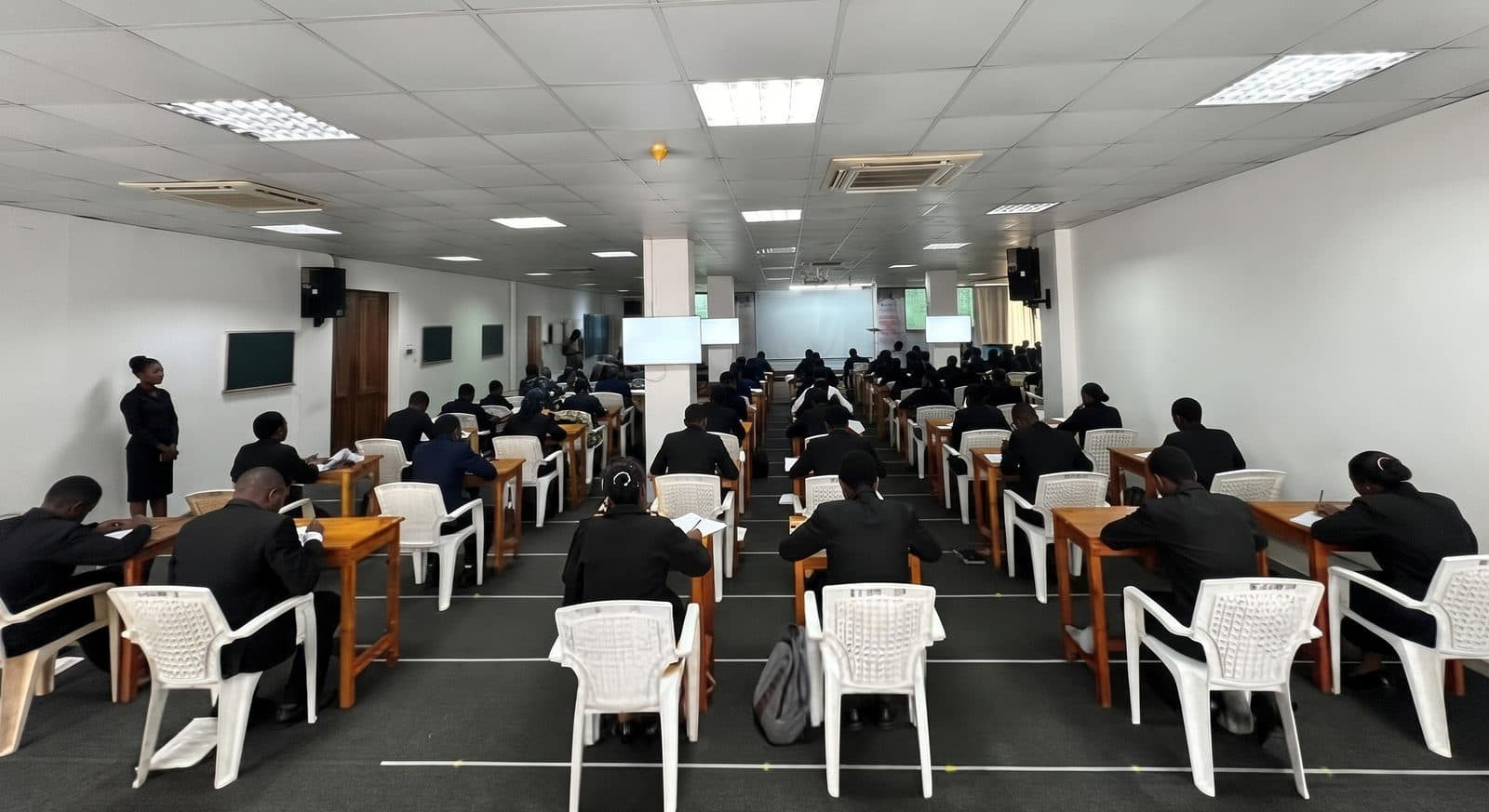
One exam, two ways to sit it
Every exam is saved once, then delivered online or printed for the exam room. Results from both end up in the same place.
- Online
- Students sit it on the platform. Objective questions are marked the moment they submit, and linked parents see the result as soon as it is published.
- On paper
- The teacher prints it, marks the scripts by hand and types in the scores. Parents see the result only after the score is saved.
How a term runs on Smart School
Five steps, the same every term. Each one is done by the person who already does it today, on a laptop in the staff room or a phone at home.
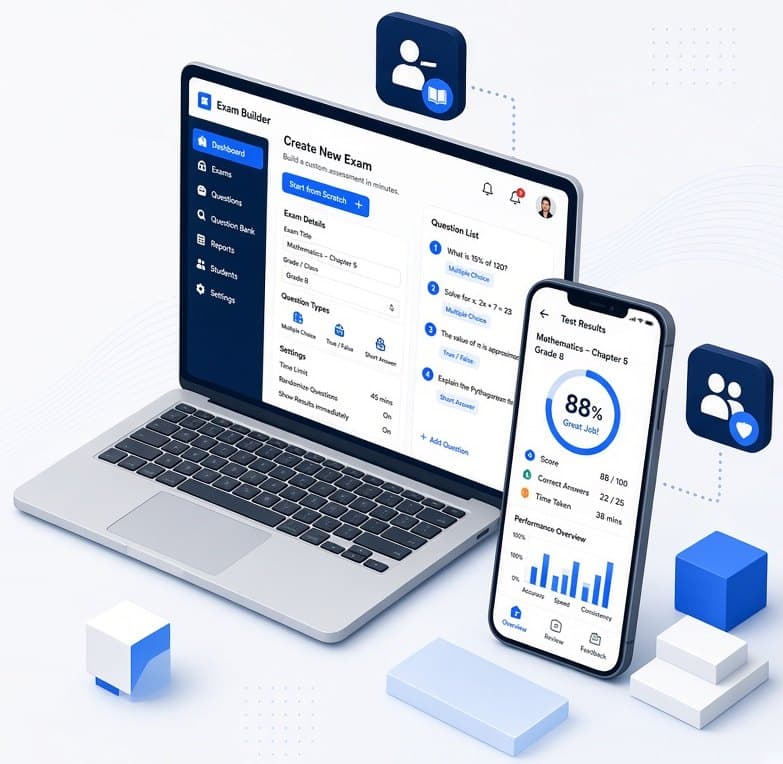
Step 1: A vetted question bank
Smart School's own content team writes multiple choice, true or false, fill in the blank, short answer, essay and calculation questions. Each one is tagged by subject, topic, class level, difficulty and marks, and can carry a diagram, map or graph.
Done by: Smart School
Step 2: Put the paper together
Choose the class level, subject, topics and number of questions. Smart School spreads them evenly across the topics and follows your difficulty mix, 30% easy, 50% medium and 20% difficult by default. Preview the draft, swap any question or regenerate.
Done by: Teacher
Step 3: Sit it on screen or on paper
Online, students see a countdown timer and every answer saves as soon as it is given. When time runs out the exam submits itself. For paper, export the exam as PDF or Word with a separate mark sheet and print it.
Done by: Student
Step 4: Mark and publish
Multiple choice, true or false and fill in the blank answers are marked automatically. Teachers mark short answers, essays and calculations on screen, with part marks for working, and type in scores from paper scripts.
Done by: Teacher
Step 5: Parents see the results
Online results reach linked parents as soon as they are published. Paper results appear once the teacher saves the score. Either way, parents get an SMS or email.
Done by: Parent
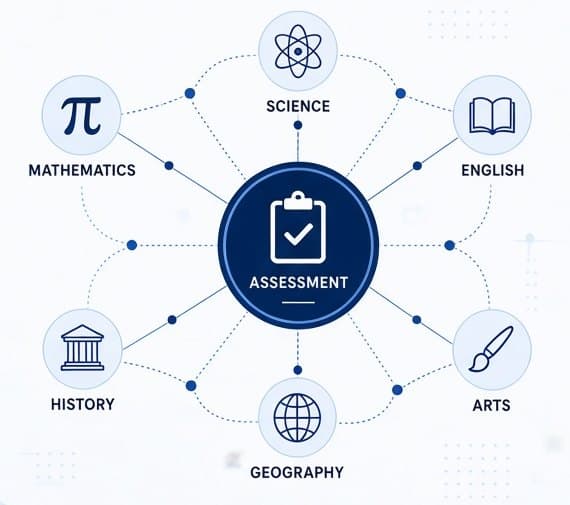
One question bank for every subject
Every question is tagged when it is written, so the bank stays searchable as it grows and exams come out balanced instead of repeating last term's paper.
Each question is tagged by
- Subject
- Topic
- Class level
- Difficulty
- Marks
- Question type
Six question types
Multiple choice, True or false, Fill in the blank, Short answer, Essay, Calculation.
Default difficulty mix
Teachers can change the mix for any exam.
Four desks, one school
Everyone signs in at the same address and lands on a dashboard with only the menu they need.
Admin
Keeps schools, classes and accounts in order, and watches over payments.
- Manage schools, class levels, classes, subjects and topics
- Suspend or reactivate accounts, manage content staff and run their payroll
- Review questions that users report as wrong
- Set premium prices and see every payment
Paper still counts.
Not every exam happens on a screen. Export the paper as PDF or Word, print it, mark the scripts with the answer key, then type the scores in. Paper results land in the same reports as online ones, so nothing lives in a separate exercise book.
- Every export comes with a separate mark sheet
- Enter scores one by one or for a whole class on one screen
- Parents see a paper result once the teacher saves it
| Adm. no | Student | P1 | P2 | Total |
|---|---|---|---|---|
| 0412 | Amani Joseph | 38 | 41 | 79 |
| 0415 | Neema Kweka | 44 | 39 | 83 |
| 0419 | Baraka Mushi | 29 | 33 | 62 |
| 0423 | Rehema Said | 41 | 45 | 86 |
Before you register
The questions school heads and parents ask first. For anything about your data, read the privacy policy.
Do students need a laptop?
No. Smart School runs in the browser on a basic smartphone, from screens 360 pixels wide. Pages are kept light so they load on 3G and 4G connections.
What happens if the internet drops in the middle of an exam?
Each answer is saved as soon as it is given. When the connection returns, the student reopens the exam and carries on. The timer runs on our server, so nobody gains extra time.
Can students see the correct answers during an exam?
No. Correct answers are never sent to the student's phone during an online exam. All marking happens on our server.
Can we keep using printed exams?
Yes. Any exam can be exported as PDF or Word with a separate mark sheet. Teachers enter the scores from the paper scripts afterwards.
Who can see a student's results?
The student, their teachers, the admin and the parents linked to that student. Exams with written answers show as awaiting marking until the teacher finishes, and paper results appear only once the score is saved.
How does a parent link to their child?
Every student has a unique 8 character link code. The parent registers, enters the code and the child appears on their dashboard. A child can be linked to up to two parent accounts.
Is anything paid?
For students and parents, homework assigned by teachers is free. Generating a targeted practice quiz for your child costs TZS 1,000, and premium exams, tests, or quizzes cost TZS 1,000. For teachers, generating exams and downloading printable papers or mark sheets uses credits (available via Daily TZS 2,000 for 20 credits, Weekly TZS 5,000 for 100 credits, or Monthly TZS 25,000 for 1,000 credits plans, or individual retail packs). Schools and syndicates can purchase packages with a shared credit pool. We accept M-Pesa, Tigo Pesa, Airtel Money, HaloPesa, and cards.
Get set up before the next exam.
Registration takes a few minutes. Choose parent, teacher or student, then verify your account with the code we send by SMS or email.